Amy Novak
Home
About Me
Streamlining the Unsolds Workflow for UK Auction Houses
Auctionet
UX & UI
2025

Context
Auctionet is a Swedish auction platform built around continuous online sales. As part of a strategic expansion into the UK, the team needed to support hammer auctions, the dominant format in the UK market, well enough to earn the trust of British auction houses and eventually onboard them to Auctionet's way of working.
This project lives in Auctionet's back-office Admin product, used daily by auction house staff to manage listings, sales, and inventory.
Challenge / Process and Methods
A workflow that didn't exist, for a market that couldn't wait
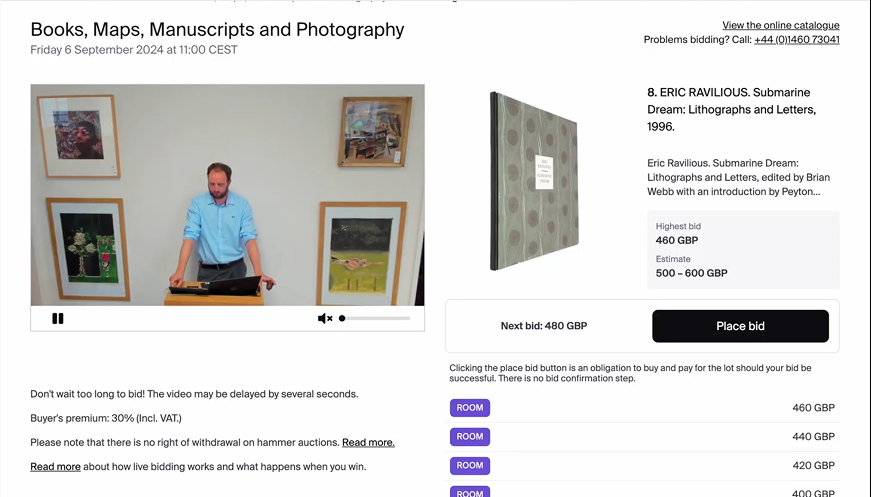
Auctionet's UK expansion depended on supporting hammer sales properly. But the admin system had a critical gap: no formal workflow for handling unsold items after a hammer auction.
Auction houses were left to manage unsolds manually:
- Cloning existing listings one by one
- Editing each item individually before re-publishing
- A process that was confusing, error-prone, and generated internal support tickets.
The challenge was to build a dedicated unsolds workflow into the existing system: fast and efficient for auction houses, while naturally encouraging them to consider continuous online sales alongside their next hammer auction.
Process and Methods
Research-led, from expert context to user testing
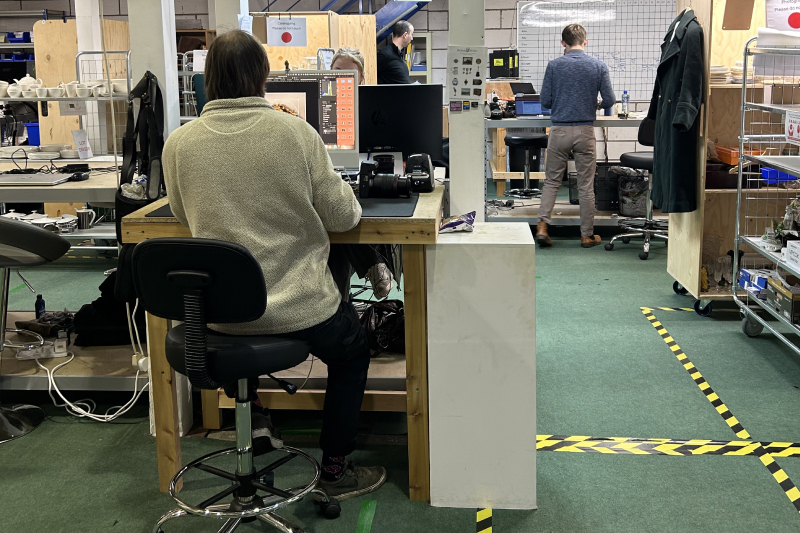
I owned the research end to end, starting with expert interviews to build context before speaking directly to auction houses.
Here is what the research process looked like that informed my design decisions:
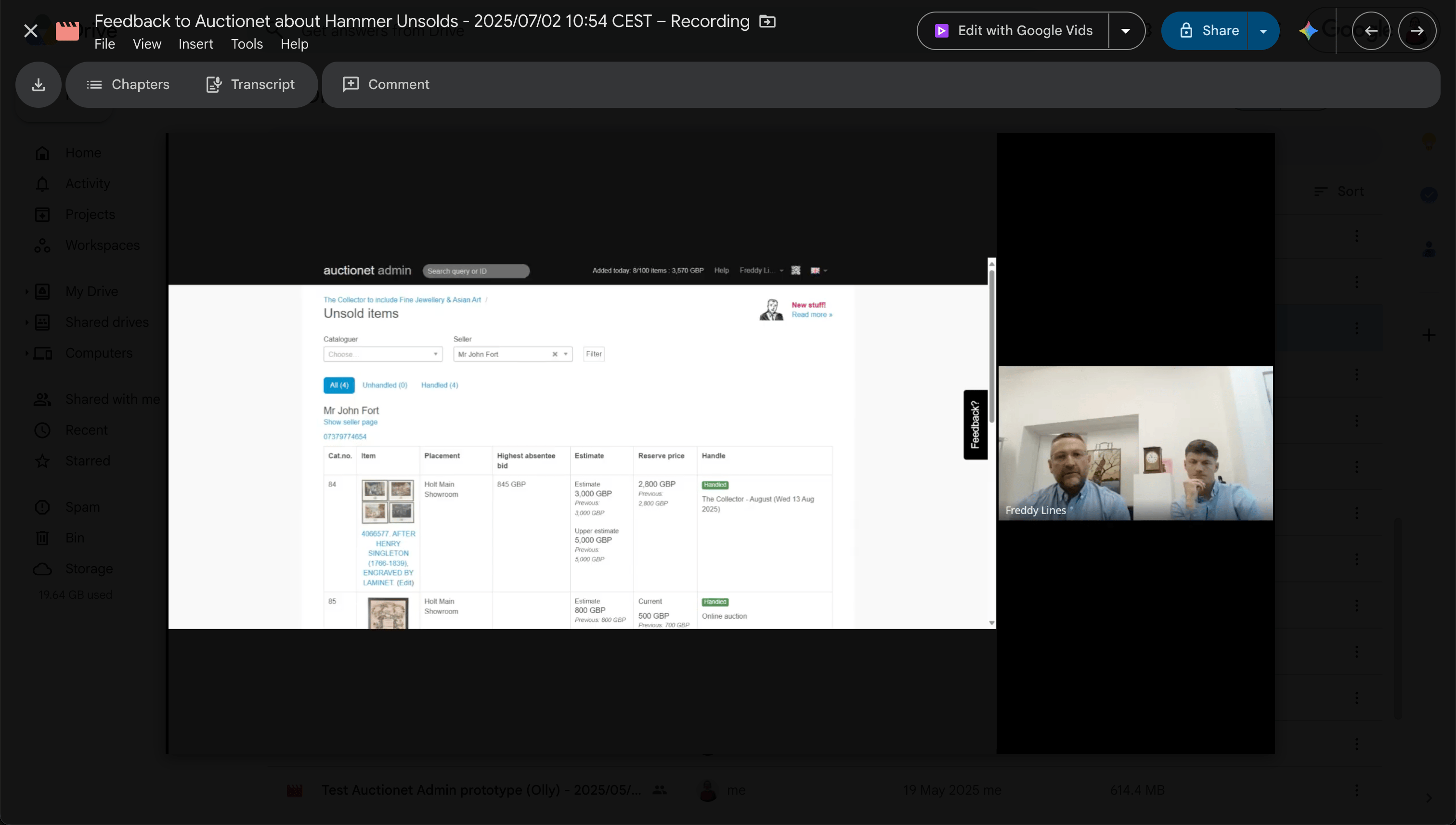
Expert interviews with Auctionet's UK specialists to understand the hammer sale market, the current workflow's pain points, and where the admin system was falling short.
Direct research with UK auction houses running hammer sales, to understand their day-to-day needs and validate assumptions about what a better workflow should look like.
Prototype testing of two UX directions to settle a key design question: should users handle unsolds through a modal panel, or by editing directly within the table? Testing gave a clear answer.
Key Insights
The how mattered as much as the what
Building a dedicated unsolds workflow was an obvious necessity. But research made clear that the quality of the solution would determine whether it actually improved efficiency, or just moved the problem around.
Key things I learned:
- No formal flow existed. Auction houses had no reliable way to access their own unsolds list without manual intervention — a dependency that shouldn't exist and that the new workflow needed to eliminate entirely.
- Cloning caused confusion and errors. The old process wasn't just slow, it was unreliable. Staff made mistakes, and those mistakes created internal support tickets.
- Inline editing won clearly over a modal. Testing two prototypes gave a decisive answer: users found editing directly in the table faster and more intuitive. A modal felt like an interruption.
- Pricing data needed to be visible upfront. Before deciding what to do with an unsold item, auction house staff needed to see estimates and reserve prices. Without that context, decisions couldn't be made confidently.
Design decisions
From workarounds to a workflow built for the job
A dedicated unsolds flow — no cloning required
The core problem wasn't just that the old process was slow. It was that no legitimate path existed at all. Auction house staff were working around a system gap, not through a system designed for them.
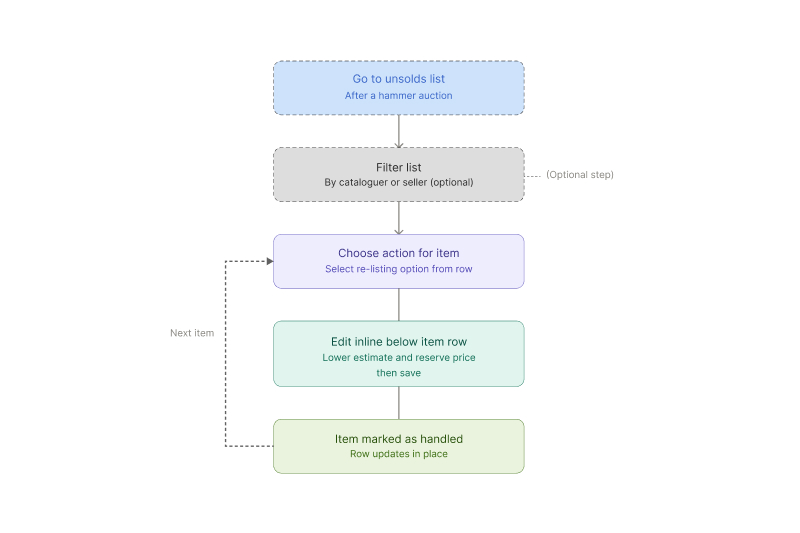
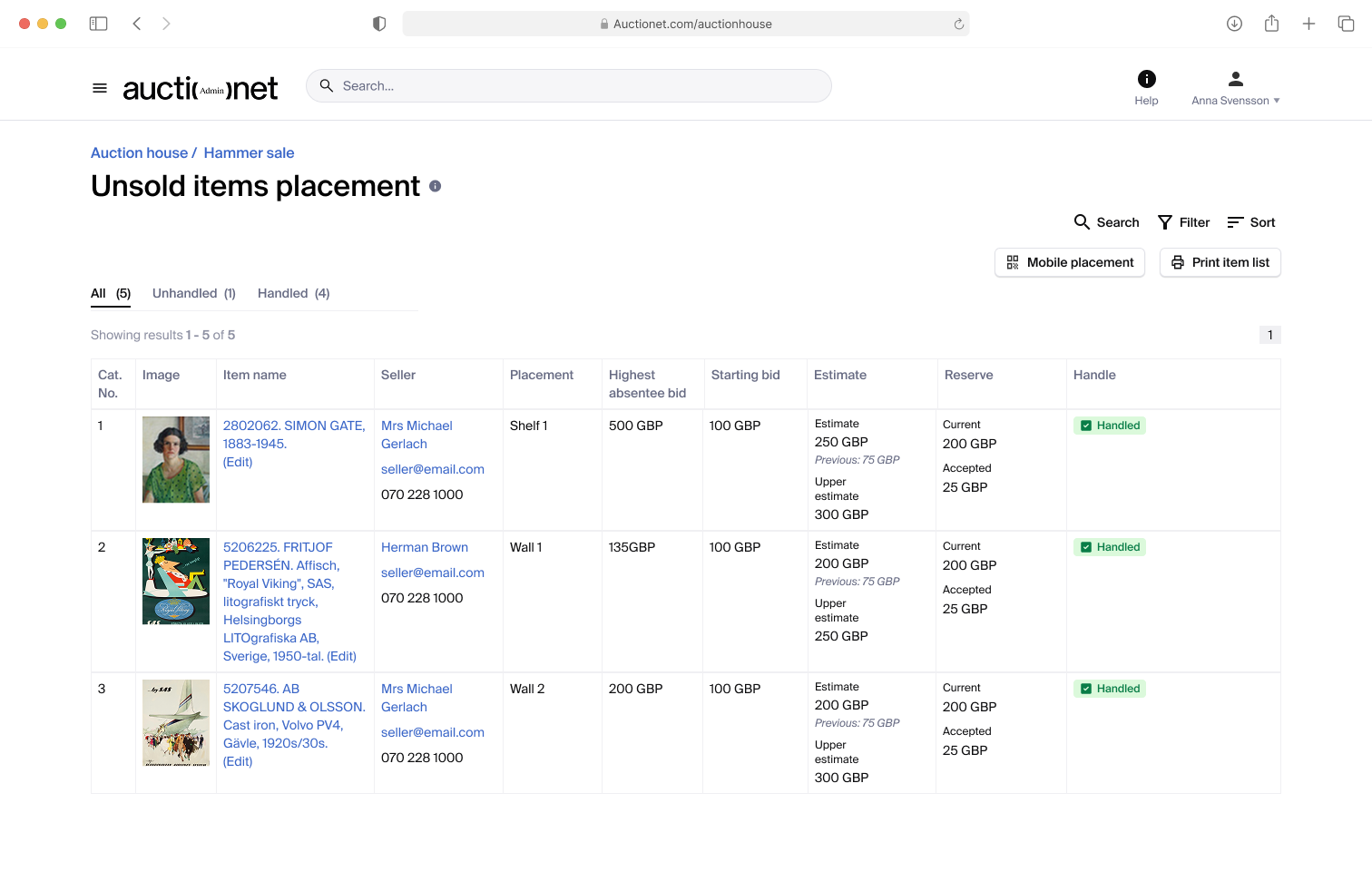
The new flow is accessible directly from the unsolds page, giving staff a clear, purpose-built entry point the moment a hammer auction closes. Removing the dependency on manual cloning also removed the main source of errors and support tickets. The workflow now handles what staff were previously doing by hand.
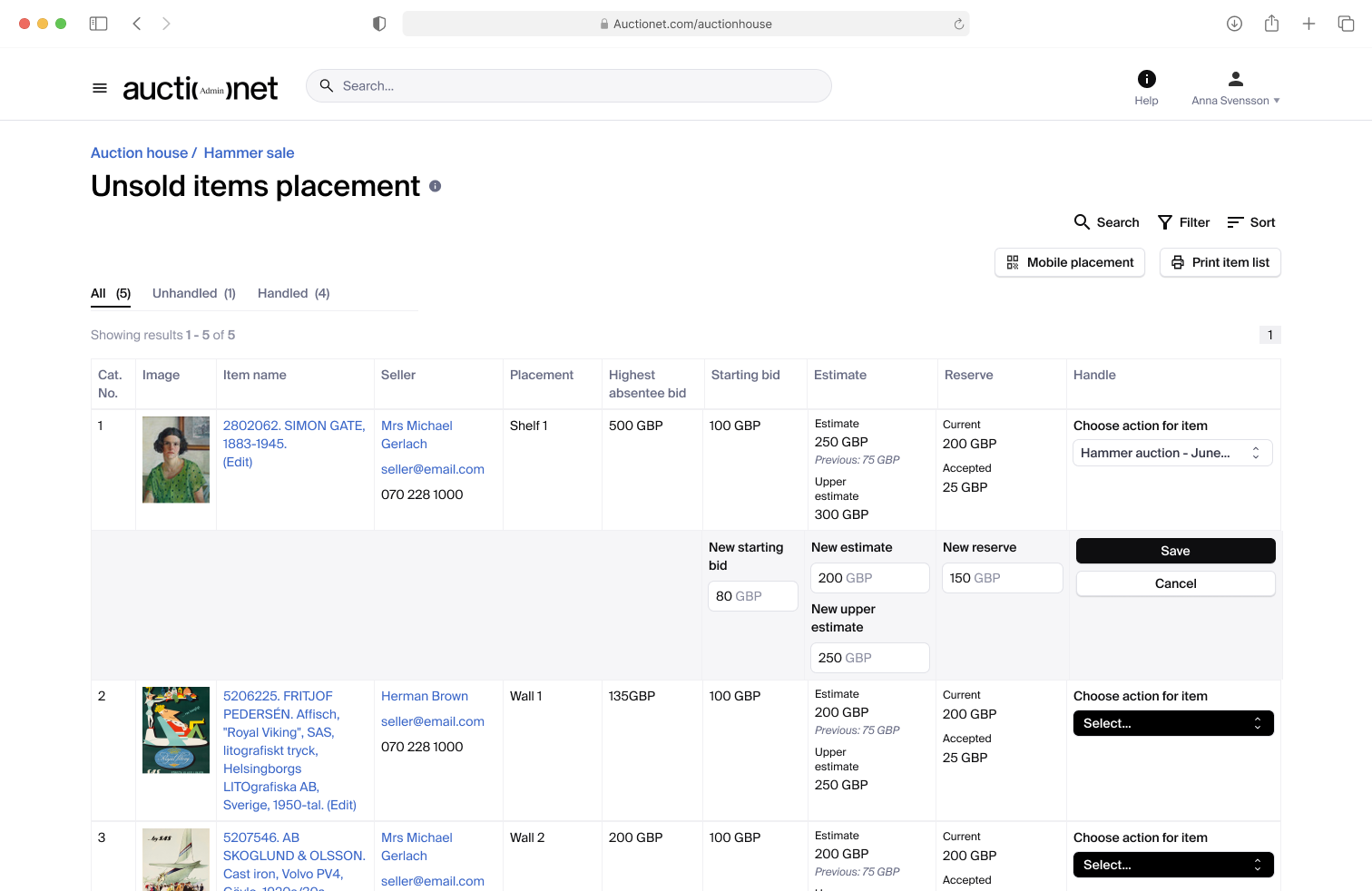
Inline table editing over a modal
This was the key UX question the project needed to answer, and prototype testing answered it decisively.
A modal felt like an interruption: it broke context and added steps. Editing directly within the table kept staff oriented, let them move quickly between items, and felt like a natural extension of how they were already scanning the list.
Inline editing also keeps pricing context visible alongside the item being edited. Estimates and reserve prices stay on screen throughout. Research made clear that staff needed that data upfront to make confident decisions, and a modal would have hidden it.
Filtering to match how auction houses actually work
Two filters were designed around real working patterns, not generic utility:
By seller: When an auction house needs to call a seller about their unsold items, having those items scattered across the list creates unnecessary friction. Filtering by seller groups everything in one place, so the conversation and the work happen together.
By cataloguer: In most auction houses, the cataloguer who listed an item is also the person responsible for re-listing it. Filtering by cataloguer makes it straightforward to divide work by ownership, matching the team structure already in place.
Outcome
A pilot that proved the concept, and a rollout that confirmed it
The workflow launched as a pilot with a small group of UK auction houses, then rolled out to all auction houses running hammer sales on the platform.
Measuring impact
Quantitative data was difficult to collect. A pre-launch survey received 8 responses; a follow-up after launch received none. With a small, busy user base, getting the same people to respond twice proved harder than expected.
Tracking data told a clearer story. Unsold items were being handled within days to a week after the workflow launched, compared to several weeks to a month previously.
Qualitative feedback
The clearest signal of success was the rollout itself:
- One user described it as "a brilliant addition that speeds up re-offering items on the continuous system", which was exactly the efficiency the workflow set out to deliver.
—
Future improvements
The pilot surfaced a cluster of needs that point toward meaningful future work.
- Contract handling for re-offered items: Several auction houses need the original hammer sale contract to remain intact after a sale closes, to assess seller performance on a sale-by-sale basis. Re-offered items need to move to a new contract, without disappearing from the original and without creating duplicate item numbers.
- Placement editing on the unsolds page: Adding this directly to the unsolds list would reduce the steps between reviewing an item and deciding where it goes next.
- A "being handled" status: A lightweight way to flag that someone is already working on an item. May not be necessary depending on how teams use the workflow in practice.

Amy Novak
Home
About Me
Streamlining the Unsolds Workflow for UK Auction Houses
Auctionet
UX & UI
2025
Context
Auctionet is a Swedish auction platform built around continuous online sales. As part of a strategic expansion into the UK, the team needed to support hammer auctions, the dominant format in the UK market, well enough to earn the trust of British auction houses and eventually onboard them to Auctionet's way of working.
This project lives in Auctionet's back-office Admin product, used daily by auction house staff to manage listings, sales, and inventory.
Challenge / Process and Methods
A workflow that didn't exist, for a market that couldn't wait
Auctionet's UK expansion depended on supporting hammer sales properly. But the admin system had a critical gap: no formal workflow for handling unsold items after a hammer auction.
Auction houses were left to manage unsolds manually:
- Cloning existing listings one by one
- Editing each item individually before re-publishing
- A process that was confusing, error-prone, and generated internal support tickets.
The challenge was to build a dedicated unsolds workflow into the existing system: fast and efficient for auction houses, while naturally encouraging them to consider continuous online sales alongside their next hammer auction.
Process and Methods
Research-led, from expert context to user testing
I owned the research end to end, starting with expert interviews to build context before speaking directly to auction houses.
Here is what the research process looked like that informed my design decisions:
Expert interviews with Auctionet's UK specialists to understand the hammer sale market, the current workflow's pain points, and where the admin system was falling short.
Direct research with UK auction houses running hammer sales, to understand their day-to-day needs and validate assumptions about what a better workflow should look like.
Prototype testing of two UX directions to settle a key design question: should users handle unsolds through a modal panel, or by editing directly within the table? Testing gave a clear answer.
Key Insights
The how mattered as much as the what
Building a dedicated unsolds workflow was an obvious necessity. But research made clear that the quality of the solution would determine whether it actually improved efficiency, or just moved the problem around.
Key things I learned:
- No formal flow existed. Auction houses had no reliable way to access their own unsolds list without manual intervention — a dependency that shouldn't exist and that the new workflow needed to eliminate entirely.
- Cloning caused confusion and errors. The old process wasn't just slow, it was unreliable. Staff made mistakes, and those mistakes created internal support tickets.
- Inline editing won clearly over a modal. Testing two prototypes gave a decisive answer: users found editing directly in the table faster and more intuitive. A modal felt like an interruption.
- Pricing data needed to be visible upfront. Before deciding what to do with an unsold item, auction house staff needed to see estimates and reserve prices. Without that context, decisions couldn't be made confidently.
Design decisions
From workarounds to a workflow built for the job
A dedicated unsolds flow — no cloning required
The core problem wasn't just that the old process was slow. It was that no legitimate path existed at all. Auction house staff were working around a system gap, not through a system designed for them.
The new flow is accessible directly from the unsolds page, giving staff a clear, purpose-built entry point the moment a hammer auction closes. Removing the dependency on manual cloning also removed the main source of errors and support tickets. The workflow now handles what staff were previously doing by hand.
Inline table editing over a modal
This was the key UX question the project needed to answer, and prototype testing answered it decisively.
A modal felt like an interruption: it broke context and added steps. Editing directly within the table kept staff oriented, let them move quickly between items, and felt like a natural extension of how they were already scanning the list.
Inline editing also keeps pricing context visible alongside the item being edited. Estimates and reserve prices stay on screen throughout. Research made clear that staff needed that data upfront to make confident decisions, and a modal would have hidden it.
Filtering to match how auction houses actually work
Two filters were designed around real working patterns, not generic utility:
By seller: When an auction house needs to call a seller about their unsold items, having those items scattered across the list creates unnecessary friction. Filtering by seller groups everything in one place, so the conversation and the work happen together.
By cataloguer: In most auction houses, the cataloguer who listed an item is also the person responsible for re-listing it. Filtering by cataloguer makes it straightforward to divide work by ownership, matching the team structure already in place.
Outcome
A pilot that proved the concept, and a rollout that confirmed it
The workflow launched as a pilot with a small group of UK auction houses, then rolled out to all auction houses running hammer sales on the platform.
Measuring impact
Quantitative data was difficult to collect. A pre-launch survey received 8 responses; a follow-up after launch received none. With a small, busy user base, getting the same people to respond twice proved harder than expected.
Tracking data told a clearer story. Unsold items were being handled within days to a week after the workflow launched, compared to several weeks to a month previously.
Qualitative feedback
The clearest signal of success was the rollout itself:
- One user described it as "a brilliant addition that speeds up re-offering items on the continuous system", which was exactly the efficiency the workflow set out to deliver.
—
Future improvements
The pilot surfaced a cluster of needs that point toward meaningful future work.
- Contract handling for re-offered items: Several auction houses need the original hammer sale contract to remain intact after a sale closes, to assess seller performance on a sale-by-sale basis. Re-offered items need to move to a new contract, without disappearing from the original and without creating duplicate item numbers.
- Placement editing on the unsolds page: Adding this directly to the unsolds list would reduce the steps between reviewing an item and deciding where it goes next.
- A "being handled" status: A lightweight way to flag that someone is already working on an item. May not be necessary depending on how teams use the workflow in practice.
Amy Novak
Home
About Me
Streamlining the Unsolds Workflow for UK Auction Houses
Auctionet
UX & UI
2025
Context
Auctionet is a Swedish auction platform built around continuous online sales. As part of a strategic expansion into the UK, the team needed to support hammer auctions, the dominant format in the UK market, well enough to earn the trust of British auction houses and eventually onboard them to Auctionet's way of working.
This project lives in Auctionet's back-office Admin product, used daily by auction house staff to manage listings, sales, and inventory.
Challenge / Process and Methods
A workflow that didn't exist, for a market that couldn't wait
Auctionet's UK expansion depended on supporting hammer sales properly. But the admin system had a critical gap: no formal workflow for handling unsold items after a hammer auction.
Auction houses were left to manage unsolds manually:
- Cloning existing listings one by one
- Editing each item individually before re-publishing
- A process that was confusing, error-prone, and generated internal support tickets.
The challenge was to build a dedicated unsolds workflow into the existing system: fast and efficient for auction houses, while naturally encouraging them to consider continuous online sales alongside their next hammer auction.
Process and Methods
Research-led, from expert context to user testing
I owned the research end to end, starting with expert interviews to build context before speaking directly to auction houses.
Here is what the research process looked like that informed my design decisions:
Expert interviews with Auctionet's UK specialists to understand the hammer sale market, the current workflow's pain points, and where the admin system was falling short.
Direct research with UK auction houses running hammer sales, to understand their day-to-day needs and validate assumptions about what a better workflow should look like.
Prototype testing of two UX directions to settle a key design question: should users handle unsolds through a modal panel, or by editing directly within the table? Testing gave a clear answer.
Key Insights
The how mattered as much as the what
Building a dedicated unsolds workflow was an obvious necessity. But research made clear that the quality of the solution would determine whether it actually improved efficiency, or just moved the problem around.
Key things I learned:
- No formal flow existed. Auction houses had no reliable way to access their own unsolds list without manual intervention — a dependency that shouldn't exist and that the new workflow needed to eliminate entirely.
- Cloning caused confusion and errors. The old process wasn't just slow, it was unreliable. Staff made mistakes, and those mistakes created internal support tickets.
- Inline editing won clearly over a modal. Testing two prototypes gave a decisive answer: users found editing directly in the table faster and more intuitive. A modal felt like an interruption.
- Pricing data needed to be visible upfront. Before deciding what to do with an unsold item, auction house staff needed to see estimates and reserve prices. Without that context, decisions couldn't be made confidently.
Design decisions
From workarounds to a workflow built for the job
A dedicated unsolds flow — no cloning required
The core problem wasn't just that the old process was slow. It was that no legitimate path existed at all. Auction house staff were working around a system gap, not through a system designed for them.
The new flow is accessible directly from the unsolds page, giving staff a clear, purpose-built entry point the moment a hammer auction closes. Removing the dependency on manual cloning also removed the main source of errors and support tickets. The workflow now handles what staff were previously doing by hand.
Inline table editing over a modal
This was the key UX question the project needed to answer, and prototype testing answered it decisively.
A modal felt like an interruption: it broke context and added steps. Editing directly within the table kept staff oriented, let them move quickly between items, and felt like a natural extension of how they were already scanning the list.
Inline editing also keeps pricing context visible alongside the item being edited. Estimates and reserve prices stay on screen throughout. Research made clear that staff needed that data upfront to make confident decisions, and a modal would have hidden it.
Filtering to match how auction houses actually work
Two filters were designed around real working patterns, not generic utility:
By seller: When an auction house needs to call a seller about their unsold items, having those items scattered across the list creates unnecessary friction. Filtering by seller groups everything in one place, so the conversation and the work happen together.
By cataloguer: In most auction houses, the cataloguer who listed an item is also the person responsible for re-listing it. Filtering by cataloguer makes it straightforward to divide work by ownership, matching the team structure already in place.
Outcome
A pilot that proved the concept, and a rollout that confirmed it
The workflow launched as a pilot with a small group of UK auction houses, then rolled out to all auction houses running hammer sales on the platform.
Measuring impact
Quantitative data was difficult to collect. A pre-launch survey received 8 responses; a follow-up after launch received none. With a small, busy user base, getting the same people to respond twice proved harder than expected.
Tracking data told a clearer story. Unsold items were being handled within days to a week after the workflow launched, compared to several weeks to a month previously.
Qualitative feedback
The clearest signal of success was the rollout itself:
- One user described it as "a brilliant addition that speeds up re-offering items on the continuous system", which was exactly the efficiency the workflow set out to deliver.
—
Future improvements
The pilot surfaced a cluster of needs that point toward meaningful future work.
- Contract handling for re-offered items: Several auction houses need the original hammer sale contract to remain intact after a sale closes, to assess seller performance on a sale-by-sale basis. Re-offered items need to move to a new contract, without disappearing from the original and without creating duplicate item numbers.
- Placement editing on the unsolds page: Adding this directly to the unsolds list would reduce the steps between reviewing an item and deciding where it goes next.
- A "being handled" status: A lightweight way to flag that someone is already working on an item. May not be necessary depending on how teams use the workflow in practice.